Proxmox VE HA Cluster on Old Hardware
High availability (HA) sounds like an enterprise-level solution. Expensive hardware, expensive storage. But what if you built the whole thing using old computers that can barely handle browsing the web anymore and are just gathering dust at home?
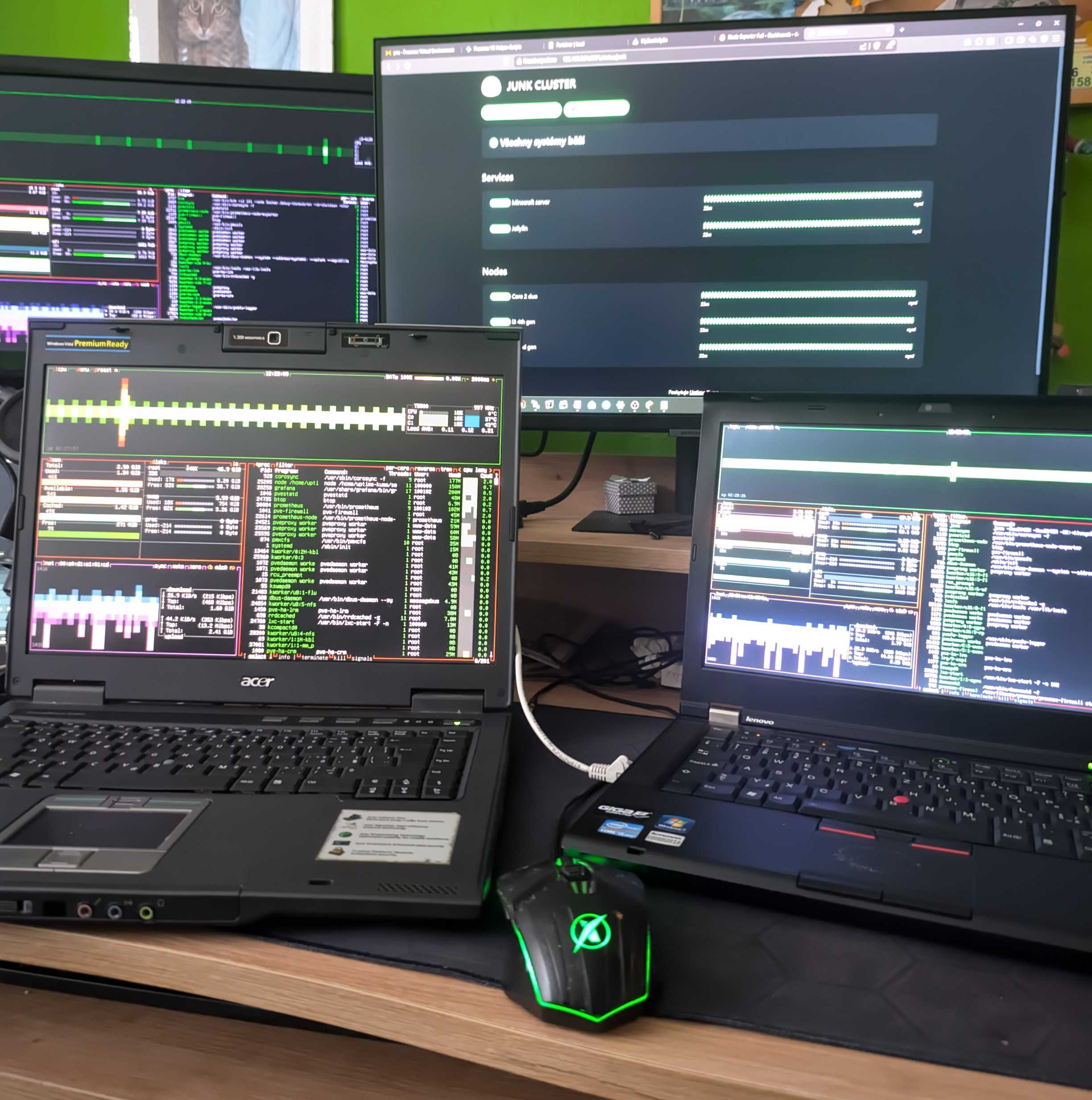
Hardware
The cluster consists of three nodes:
- Acer TravelMate 6460 (Intel Core 2 Duo, 3GB RAM)
- Lenovo T420 (Intel Core i5 2. generace, 4GB RAM)
- Fujitsu Desktop (Intel Core i3 4. generace, 16GB RAM)
For production deployments, it is obviously best to use identical nodes or nodes with comparable performance. The key is to ensure that the remaining nodes have sufficient processing power and memory to take over all running virtual machines if one of the nodes fails.
Why 3 nodes and not 2?
Proxmox HA is based on a Corosync cluster, which requires a quorum to function—meaning that a majority of the nodes must be online.
If I used only two nodes and the connection between them were to be interrupted, the cluster would not know whether the other node had failed or if it was just a network outage. The result would be a so-called split-brain scenario: both nodes would think they were the only one functioning and would begin manipulating data independently of each other. The third node naturally resolves this problem and serves as the deciding vote.
Storage
Shared storage is a prerequisite for a HA cluster. The virtual machine's disk must be accessible from all nodes. I used an NFS share on another computer, which of course comes with certain architectural drawbacks.
My NFS server here is a single point of failure. If the storage goes down, all the virtual machines go down. In production, this is most often solved using Ceph (distributed storage directly among the cluster nodes). However, for that, I would need another dedicated disk on each node in addition to the system disk, which is why I chose the simpler route with NFS for this experiment.
What happens if a node goes down?
Failover is the main reason for deploying a high-availability cluster. Let’s imagine that one node goes down (e.g. due to a hardware failure). The remaining two nodes detect the situation and immediately redistribute among themselves the virtual machines and LXC containers that were running on the failed node.
On my legacy hardware, the entire failover process took over two minutes. This was due to the nodes’ limited processing power and the throughput of the Gigabit network carrying data from NFS, which slowed down the boot process itself. Nevertheless, the HA system worked exactly as expected (although a two-minute outage would obviously be too long in a production environment).
Live migration
A HA cluster doesn't just handle unexpected crashes; it's also a huge help during scheduled maintenance. If I need to restart a server, I can migrate the virtual machines to another node while they're still running.
Unlike failover, this does not involve restarting the virtual machine. The contents of RAM are transferred over the network to the target node with virtually no downtime. Unfortunately, even live migration on this hardware resulted in a roughly half-minute downtime, whereas on modern servers and 10Gbps+ networks, it takes place in a fraction of a second, and the user doesn’t notice a thing.
Conclusion
Proxmox HA actually works on older hardware, although the duration of outages is far from production standards. However, if you want to get a feel for setting up a cluster, configuring shared storage, and ensuring the highest possible uptime for your home lab Minecraft server, I definitely recommend giving it a try!